What is Kompas?
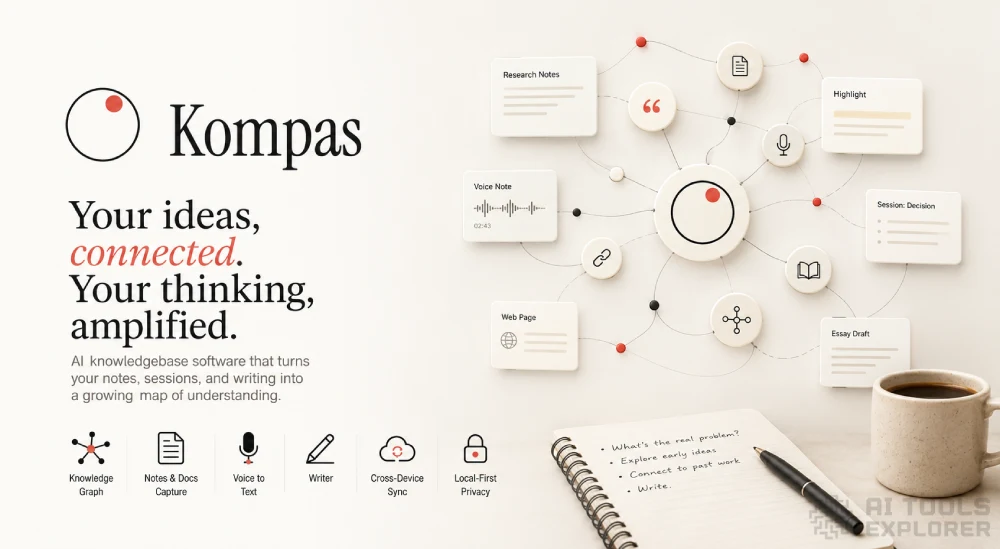
Kompas AI is a knowledgebase software tool that connects your notes, sessions, and past writing so your ideas build on each other over time. It runs as a desktop app on macOS and Windows. You bring in documents, highlights, voice notes, and web pages. Kompas AI stores them and pulls relevant pieces back into view when you start a new session. The result is a growing personal graph of your own thinking. It works with your own API keys or local models, and a cloud option adds cross-device sync with AI built in.
Kompas AI Video
Features & Benefits
- AI-Assisted Sessions: start a thinking session on any topic and get responses grounded in your own past notes, decisions, and saved reading rather than generic model output.
- Knowledge Graph: automatically connect each session to related past content, building a visual map of your ideas over time.
- Note and Document Capture: bring in documents, highlights, voice notes, and web pages and store them as source material inside your knowledgebase software.
- Writer: move any session directly into a draft, with your past writing surfacing in context as you work.
- Voice and Audio Transcription: record or upload audio and convert it to text for capture into your knowledge base.
- Local-First Storage: keep all sessions, notes, and graph data on your own device with no data leaving unless you call an external model.
- Cross-Device Sync: sync your full graph and sessions across multiple desktops via Kompas Cloud.
- Local Model Support: run text-based AI features offline by connecting local models via Ollama.
- JSON Export: export your full graph and session data to JSON at any time.
- Open Source: the desktop app is published under the MIT license and available on GitHub.
What can Kompas AI do?
- Build a personal knowledge base from notes and documents
- Connect ideas across sessions automatically
- Surface past notes during a writing session
- Transcribe voice notes into searchable text
- Create a graph of linked ideas over time
- Write drafts grounded in your own past thinking
- Store and retrieve highlights and web pages
- Run AI sessions using your own API key
- Sync a personal knowledge base across devices
- Export knowledge base data to JSON
Real-World Applications
Writing a long essay or research piece takes time. Relevant notes from weeks ago can surface during a new session in Kompas AI. The knowledgebase software connects what you wrote before to what you are working on now. A draft can start directly from that retrieved material rather than from a blank page.
Founders and decision-makers often revisit the same problems over months. Kompas AI stores past decisions alongside the reasoning behind them. When a similar situation comes up, the knowledgebase software pulls in the earlier session. The thinking you already did becomes accessible again without hunting through files or chat logs.
Researchers moving through a long project can lose track of connections between ideas. Kompas builds a graph as sessions accumulate. Each new session in the knowledgebase software links to related past entries. Patterns and connections that would otherwise stay hidden become visible across weeks of work.
Obsidian and Logseq users who already collect material may find that Kompas AI takes that content further. The knowledgebase software does not just store notes. It brings them back into active use during sessions and feeds them directly into writing.


