What is DomoAI?
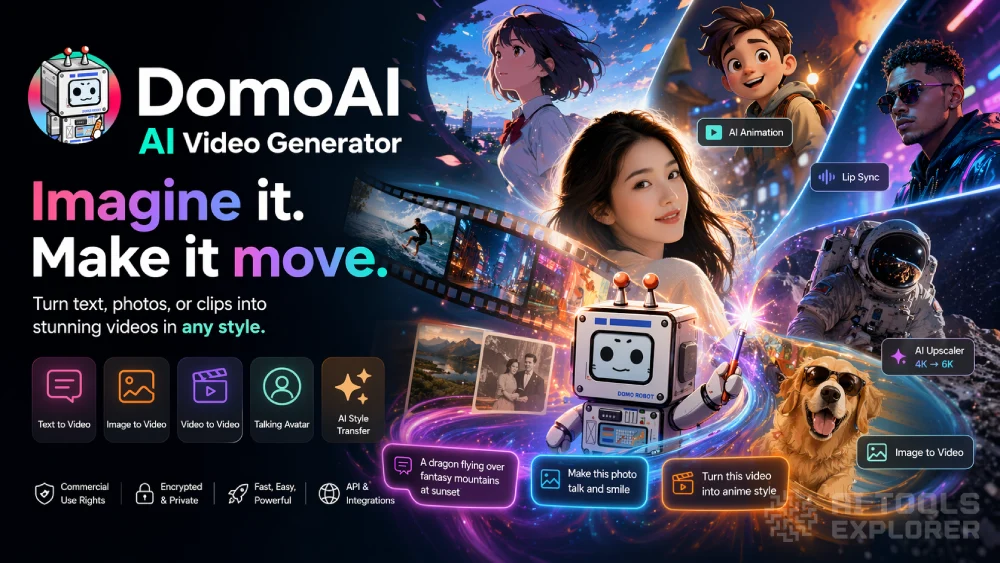
DomoAI is an AI video generator that turns text, photos, or old clips into finished videos in any style you want. Type a sentence and get a video back. Drop in a photo and watch it move. Paste in footage and restyle it as anime, cartoon, realistic, or whatever look you describe. The AI video generator handles the parts that used to eat your whole weekend, like animating characters, matching lips to audio, cutting out backgrounds, and sharpening grainy footage. Ready-made templates let you hit viral effects like 360 spins, zoom-ins, and AI hugs in one tap. You can work from the website, grab a quick app for a single job, or plug the AI video generator into your own stuff through an API.
DomoAI Video
Features & Benefits
- Text to Video: write a sentence and get back a video clip with the scene, motion, and style you described.
- Image to Video: bring a still photo to life with natural movement.
- Video to Video: take footage you already shot and restyle it as anime, cartoon, or any look you reference.
- Frames to Video: upload two to eight pictures and get a video that flows smoothly between them.
- Character Animation: make the person in a photo walk, jump, or dance by showing the AI a separate clip of the moves.
- Talking Avatar: build a realistic avatar that reads your script out loud with a matching face and voice.
- AI Anime Video Generator: turn regular footage into anime scenes.
- Cartoonize Video Object: redraw real video as cartoon animation.
- AI Video Style Transfer: apply any art style to a video using a text prompt or a reference picture.
- AI Cartoon Video Generator: make cartoon videos from photos, clips, or prompts.
- AI VTuber Maker: build an animated character you can stream as.
- Text to Image: type a prompt and get a still picture in the style you pick.
- AI Image Editor: change anything in a photo by describing it in plain words.
- Image to Image: redraw a photo in a different art style.
- Image Animation: add motion to a still picture so it plays as a short clip.
- Motion and Style Reference: upload a clip or picture to show the AI the moves or look you want.
- AI Video Lip Sync: match mouth movement to any audio track.
- Background Remover: cut out the background with screen keying or subject-only mode, no green screen.
- AI Video Upscaler: sharpen video and bump it to a higher resolution.
- AI Image Upscaler: push image quality up to 6K.
- Restore Old Photos: fix scratches, fading, and damage on old pictures.
- AI Scene Expander: extend a photo past its original edges with matching new content.
- Face Swap: put a different face on a photo or video.
- Anime Card Maker: turn a picture into a stylized anime card.
- Video Templates: one-tap effects like 360 view, zoom in, AI hug, and loop animation.
- Community Showcase and Remix: watch what other creators made and remix any of it with your own content.
- Commercial Use Rights: you own what you make and can sell it, post it, or use it for paid work.
Real-World Applications
Anyone running a TikTok, Reels, or YouTube Shorts account can use the AI video generator to stop filming and start typing. Write a prompt, pick anime or cartoon, add lip sync, post. A whole week of content can come out of one afternoon on the couch. The same clip can get restyled five different ways, which means five posts out of one idea.
Small business owners who need ads but hate being on camera can make product videos without showing their face. A bakery might animate a cartoon cupcake dancing across the screen. A boutique could turn product photos into short moving clips for Instagram. The AI video generator does the animation, the voiceover, and the final polish, so the whole ad gets made between breakfast and lunch.
Teachers, course creators, and anyone explaining something online can turn boring slides into watchable videos. Feed the AI video generator a script, pick a talking avatar, and let it narrate with matching lip sync. Students actually watch the lesson instead of clicking away, and the teacher never has to sit in front of a camera.
Parents, hobbyists, and people just messing around for fun can restore old family photos, animate baby pictures, or swap their face into a movie scene. The AI video generator makes birthday cards, anime versions of the dog, and cartoon clips of the kids that get texted around the family group chat the same night.


