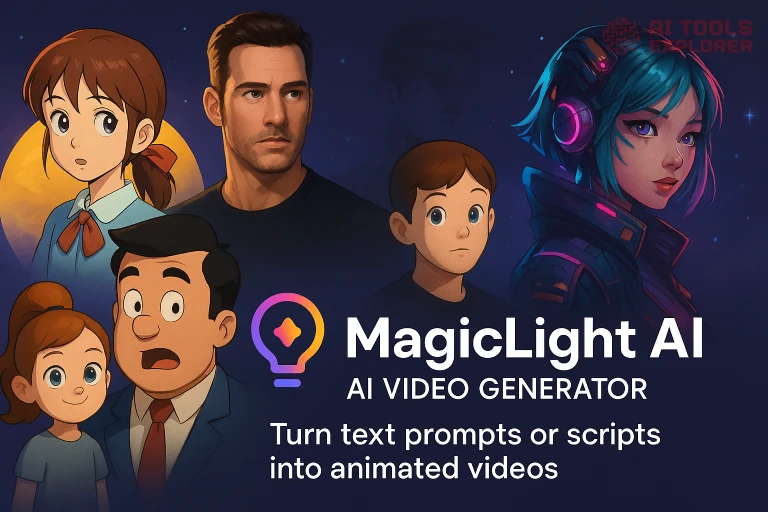
What is MagicLight AI?
MagicLight AI is an AI video generator that turns text prompts or written scripts into fully animated videos. It generates scenes with consistent characters, synced voiceovers, cinematic motion, and visual effects using AI.
This AI video generator supports a wide range of animation styles, from hand-drawn anime and comic book visuals to 3D Pixar-style, suspense thrillers, and near-photorealistic cinematic looks. Character styles include Realistic 3.0, Disney, Ghibli, Cyberpunk, and more—making it suitable for both stylized and semi-realistic animated video creation.
MagicLight AI only produces animated content and does not generate live-action or real-world footage. It’s designed for users creating explainer videos, story-based films, educational content, or brand media—without needing manual video production tools.
MagicLight AI Video
Features & Benefits
- Text-to-video generation – Input written content and convert it directly into animated video scenes using AI.
- Character consistency – Keep the same character appearance and behavior across all scenes for storytelling clarity.
- AI voice generation with lip-sync – Automatically assign AI-generated voices to characters, synced with on-screen lip movement.
- Scene animation options – Add motion effects such as cinematic pans, lip movement, or emotional expressions.
- Editable storyboards – Manually adjust scenes, change image layouts, or regenerate frames for better alignment with your story.
- Built-in image creation – Generate custom visual assets and characters directly within the tool.
- Multiple visual styles – Apply different animation aesthetics like Cyberpunk or Japanese Soothing to your videos. See full list below.
- Long-form video support – Generate videos up to 30–50 minutes in length using Smart Script functionality.
- Subtitle and cover customization – Add and style captions and thumbnails directly within the platform.
- Background music selection – Choose from built-in music options to match your video’s tone.
- AI directing system – Auto-generate professional-level shot plans and camera angles for your story scenes.
- AI character library – Use 100+ culturally diverse, customizable characters for visual storytelling.
- Visual style switching – Apply themed animation styles like Cyberpunk, Chinese Animation, or Soothing Japanese with one click.
- Emotion-aware narration – Add emotional voice tones and dialog for multiple characters per scene.
- Prompt-based regeneration – Refine scenes by entering more descriptive prompts for more accurate results.
- Voice cloning – Clone real or synthetic voices for consistent character narration.
- Multi-speaker support – Include conversations between multiple characters in one animated scene.
- Multi-language support – MagicLight AI can create videos in English, Spanish, Portuguese, Chinese, Arabic.
- Commercial license – Monetize videos and retain copyright for YouTube or other platforms.
- Permanent storage – Your projects are saved permanently with no auto-deletion.
Supported AI Video styles
- 🎬 Disney – fairy-tale, princess-like characters
- 🧑 Realistic 3.0 – near-photorealistic, cinematic look
- 🎌 Anime – Japanese animation style
- 🎨 Painting – painterly, art-style visuals
- 😱 Suspense – darker, thriller-style aesthetic
- 🪆 Clay – claymation / stop-motion look
- 🌆 Cyberpunk – neon, futuristic sci-fi
- 📖 Comic – 2D comic book style
- 🧸 3D Cartoon – Pixar-like 3D
- 💕 Josei Romance – anime romance / dramatic style
- 🎥 Ghibli – Studio Ghibli hand-drawn look
- 🎮 GTA – video game, GTA-like realism
- ⚔️ Epic – grand, fantasy/adventure cinematic
- 👶 Kids Story – soft, colorful storytelling style
- 🐾 Zootopia 3.0 – anthropomorphic animal cartoon
- 🐱 Meow 3.0 – stylized cat/animal characters
- 🎞 Pixar – Pixar-style 3D animation
- 🐥 3D Cute – chibi/adorable 3D characters
Real-world Applications
A YouTube content creator might use MagicLight AI to convert a script into a 10-minute animated explainer video with voice narration and stylized visuals. By using the Smart Script feature, the script is automatically broken into scenes. With lip-sync voiceovers and animated characters, creators can generate engaging content quickly using an AI video generator.
An online educator can write a lesson in plain text and turn it into a narrated teaching video. With subtitle options and animated character avatars, MagicLight helps teachers make visual learning content without needing design or editing tools. The long-form support enables creation of full lectures or tutorial series.
A small business owner might create a product introduction video for social media. Using MagicLight AI, they can input a short script, auto-generate a branded video with two speaking characters, add a background soundtrack, and export it in HD. It’s a fast way to produce content using an AI video generator without hiring a designer.
A writer or author could take a short story or scene from a novel and visualize it with animated sequences. Using auto-cast, AI assigns characters, sets up visuals, and adds dialogue. This helps writers explore narrative ideas visually and prepare for pitching or publishing.


